
Free · No signup · Any of 1,907 kanji, N5 to N1
Make your own kanji practice sheets
Choose exactly which kanji to practise and how much room each one gets, then print them all as one document, or save it as a PDF.
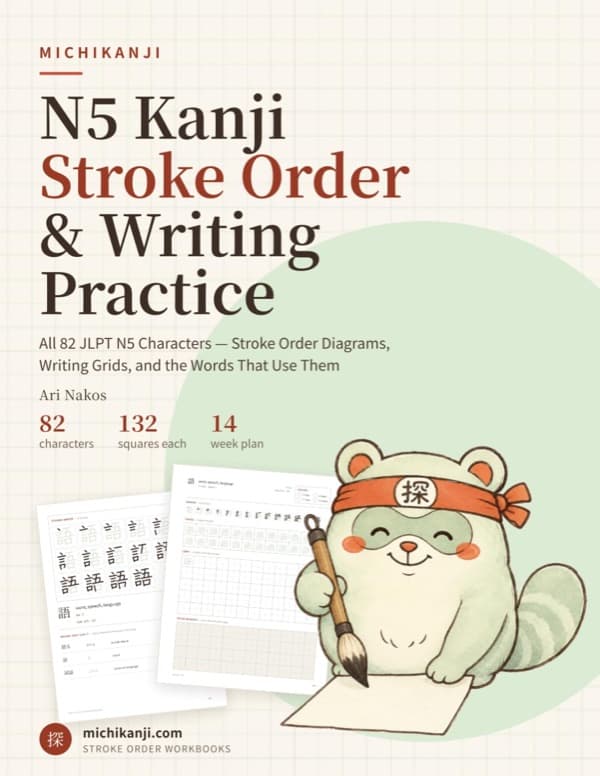
Paperback · 198 pages
Printing all 82 N5 kanji?
Get them in one bound workbook, with stroke order, 132 practice squares each and a 14-week plan.
See the book on Amazon (opens in a new tab)Print several kanji on one page
Choose Several kanji per page and each kanji gets one line with its meaning, its readings and a small stroke-order diagram with the strokes numbered, then as many rows of ten squares as you pick, from 1 to 8. The first square of every row holds a faded copy to trace. With one row each, 6 kanji fit on a page, so all 82 N5 kanji print on 14 pages.
Kanji practice sheets on genkouyoushi
Choose Genkouyoushi under Squares and the practice squares become Japanese manuscript paper: plain squares in columns, written top to bottom and right to left, with the narrow strip for readings on the right of each column and a faded model at the top. With several kanji per page, each kanji gets columns instead of rows. For the paper on its own, there is free printable genkouyoushi paper.
Make a worksheet from a word list or a textbook lesson
Paste the vocabulary from a lesson, a page of a reader or a list of words you keep getting wrong. The kana, the punctuation and anything else that is not a kanji are left out, and each kanji is printed once, in the order it first appears. A kanji we do not have a sheet for yet is named, so you know it is missing. One document holds up to 100 kanji in rows, or 20 at one page each; a bigger set prints in parts.
Share a kanji worksheet with a class
The set and the layout are kept in the page’s address, so the link is the worksheet. Copy it and anyone who opens it gets the same kanji, laid out the same way, ready to print. Nothing is saved on our side and there is no account to make.
How to print a sheet or save it as a PDF
- Build your set above, then press Print. The sheet opens in a new tab.
- Press Ctrl + P, or Command + P on a Mac.
- Print it, or choose Save as PDF as the destination to keep a copy.
On a phone, open the sheet and look for Print in your browser’s share menu.
Prefer a ready-made set? Kanji practice sheets by JLPT level